Founders Pack. Pay once. Future core updates included. 5,000 non-expiring credits. Usage is credit-based; paid add-ons excluded.

View offer →

Early accessONE API. EVERY PAGE. YOUR NEXT PROJECT.

Your next great capture
starts with a URL.

Turn web pages into images and PDFs for the things you build.
Client reports, product previews, and AI workflows. All in the frame.

50 free credits / month No credit card

The output speaks for itself.REAL ENGINE CAPTURE / LINEAR.APP
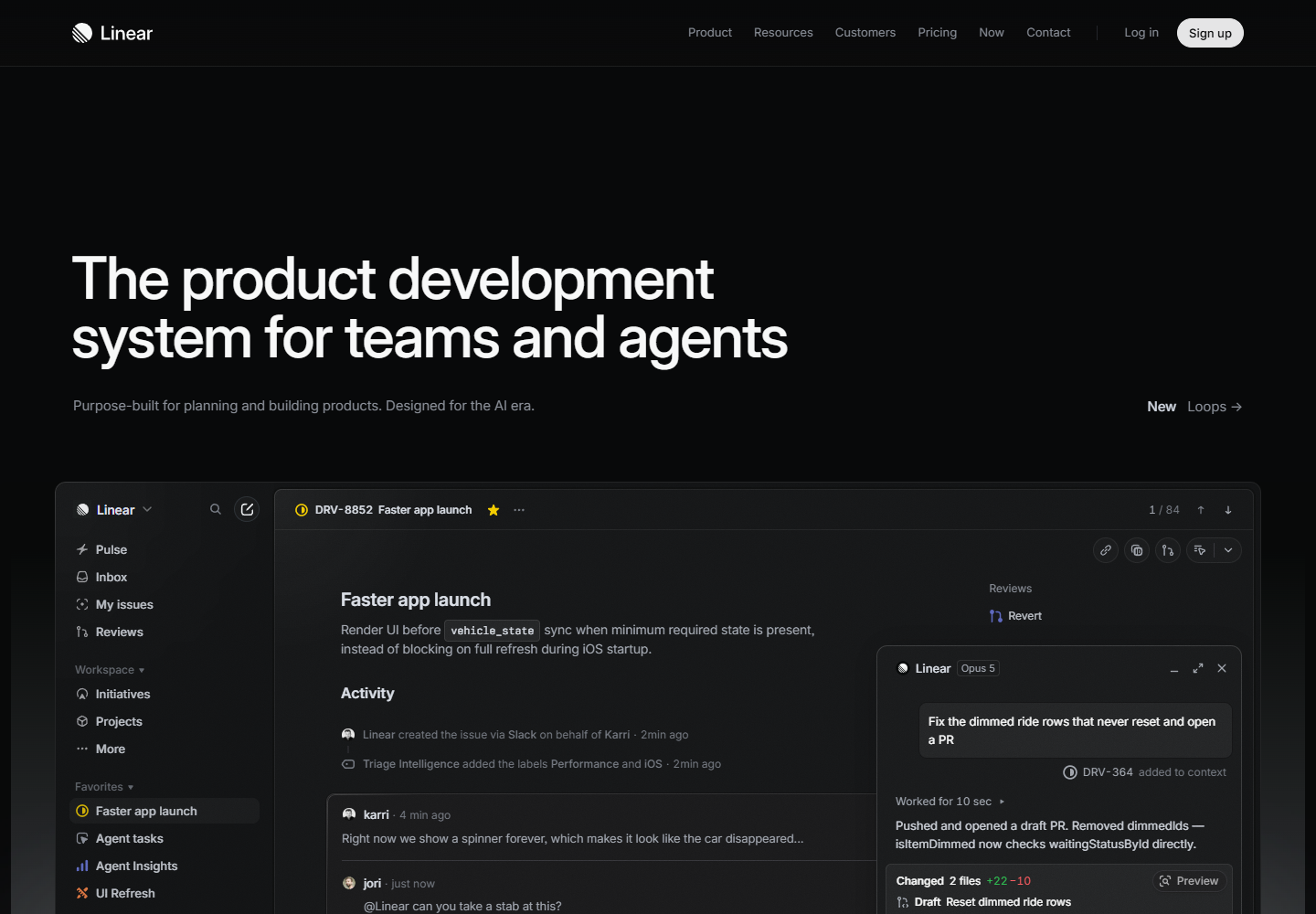
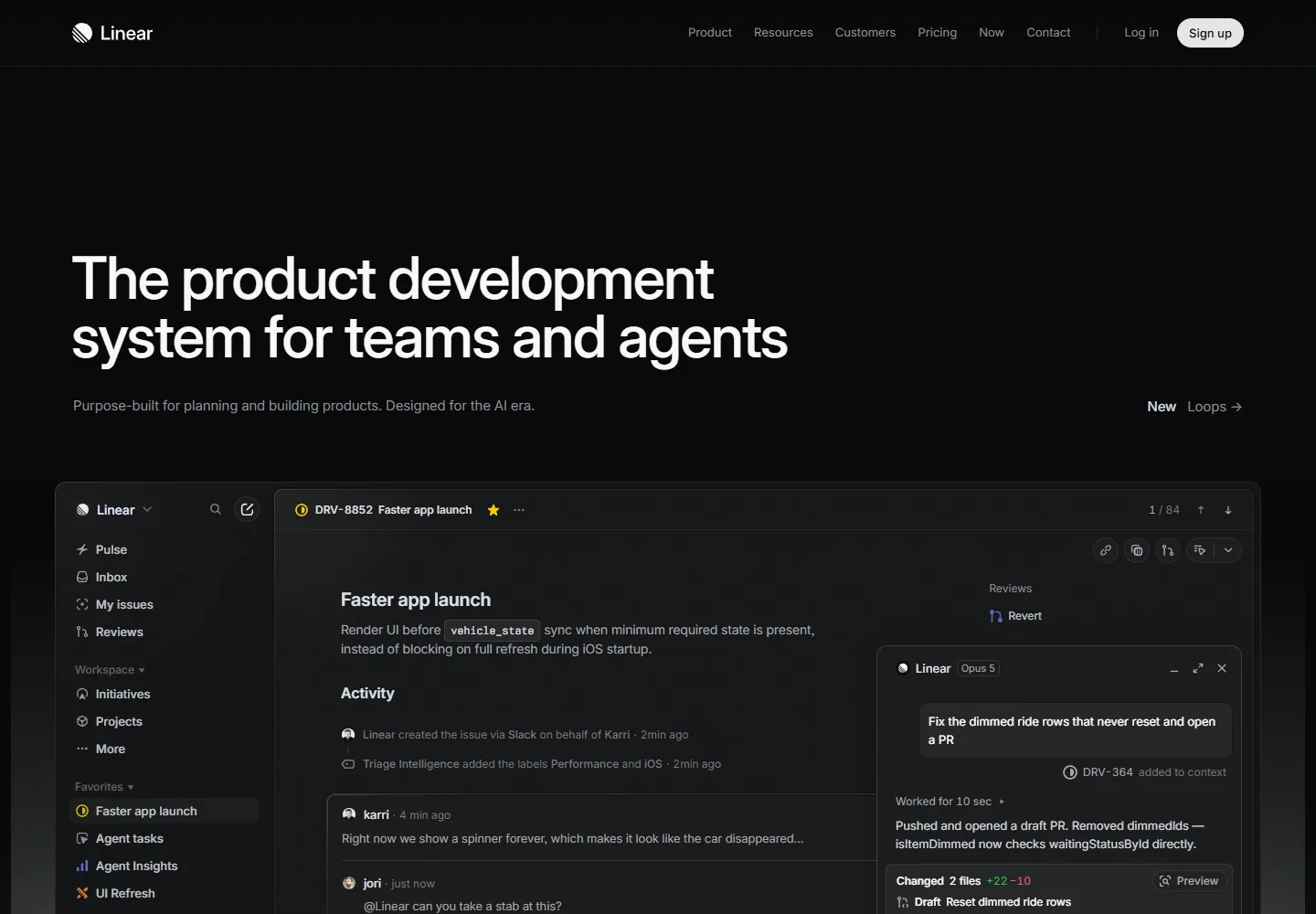
linear.app
Real desktop screenshot of the Linear homepage, captured by ScreenshotAPI
1440 × 1000
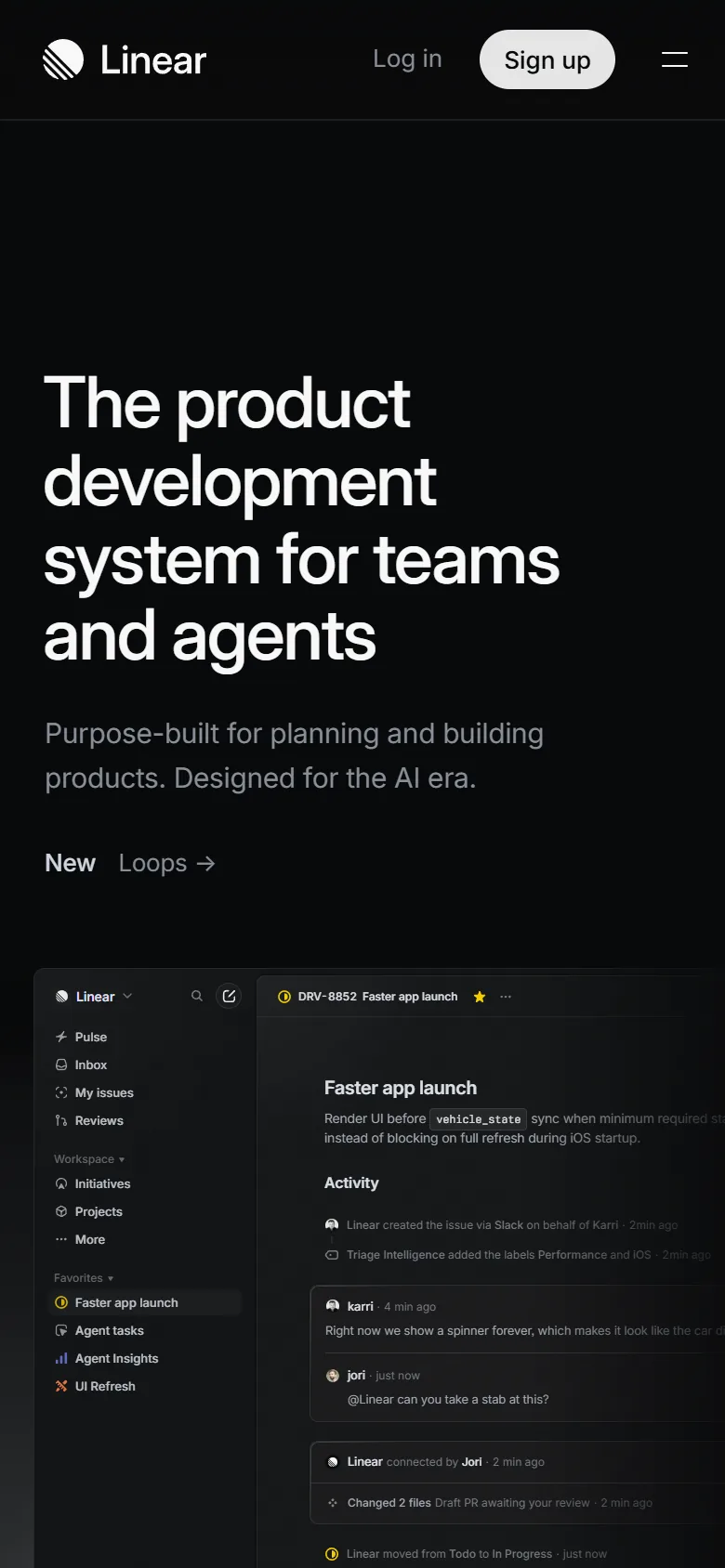
Same page. Smaller screen.
Mobile screenshot of Linear captured by ScreenshotAPI
Desktop capturePNG original · 1 credit per viewport image
Download original

Real sample captured 13 Oct 2026. Preview optimized for this page.

Full-page & mobile captures PNG, JPEG, WebP & PDF Failed captures return credits Packs that don’t expire

FROM A WEB PAGE TO YOUR WORKFLOW

The web is your input.
What will you build?

One capture engine for the reports, previews,
and tools your customers use every day.

CLIENT REPORTS & WEBSITE AUDITS

Show the page.
Make your point.

Give every review a clear visual reference. Add full-page captures to client reports, audit decks, and project updates.

Capture a client page
WEBSITE REVIEWFull-page evidence

Full-page Linear capture used as a visual reference in an example website report
linear.appPNG · 1440 × 9960
PRODUCTS & DIRECTORIES

Turn a link
into a first look.

Make bookmarks, directories, and dashboards visual with previews of the pages behind them.

Build your first preview
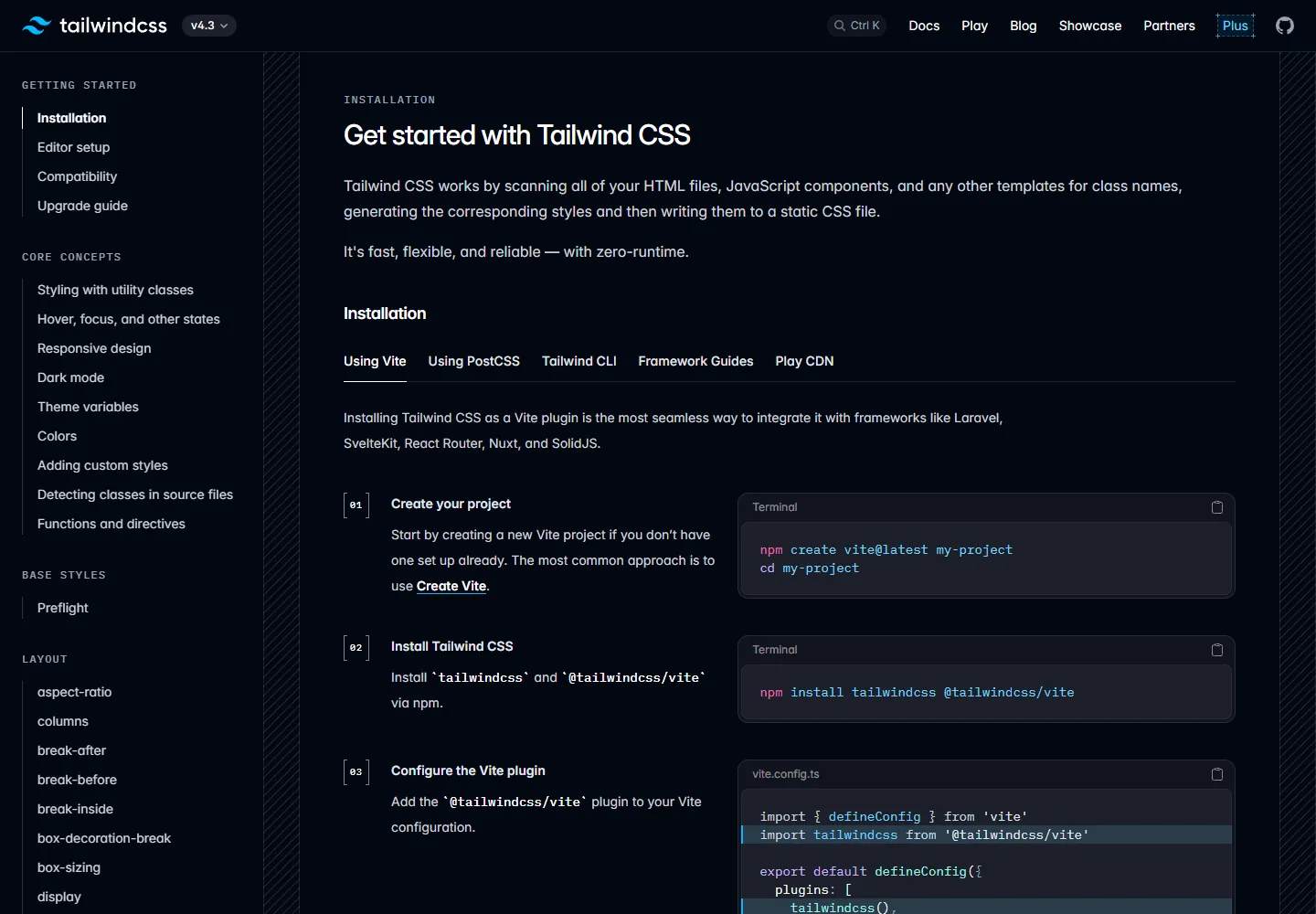
Real capture of the Tailwind documentation shown as a directory preview
tailwindcss.com preview.webp
AI AGENTS & AUTOMATION

A little vision.
A lot more context.

Give compatible AI tools a screenshot and readable page content through hosted MCP.

Give your agent a view
AVAILABLE MCP TOOLS
take_screenshot
inspect_page
capture_element
Screenshot + page context
FULL-PAGE CAPTURElinear.app
Full-page Linear website capture showing content down to the footer
Scroll inside to explore

MORE PAGE. LESS CLEANUP.

Capture the content.
Leave the clutter behind.

Go beyond the first screen, trigger content as the page scrolls, and remove supported distractions before the capture.

Follow the whole page

Trigger lazy-loaded images and scroll reveals, within the limits you choose.

full_page: true

Keep the useful parts

Block supported cookie banners and ads, or hide the elements you select.

block_cookie_banners: true

Take the output with you

Choose PNG, JPEG, WebP, or PDF for the next step in your workflow.

format: "png"
Try your own page

Site behavior varies. Test the pages that matter to you.

YOUR PAGE. YOUR PERSPECTIVE.

Every screen deserves
the right frame.

Set the viewport, choose a device scale, and capture the page as your users see it. Compare two real captures of the same site.

Desktop to mobileChoose a viewport for your product.
Resolution you controlSet the device scale for your output.
Find your capture settings

These are saved engine captures, not live renders. Your URL and settings are chosen in the playground.

linear.app
Saved desktop capture of Linear at a 1440 by 1000 viewport
CAPTURE SETTINGSviewport: 1440 × 1000 · scale: 1×
Output: 1440 × 1000 pixelsInspect original

A SMALL REQUEST. A USEFUL RESULT.

Your language.
Your next integration.

Send an HTTP request from your application, or connect your AI tools through MCP. Start with a complete request you can copy.

  1. 1
    Check a page in the playground

    Find the framing and format that fit.

  2. 2
    Bring the same options into your app

    Keep your API key on the server.

  3. 3
    Handle the result

    Use the quickstart for completed captures, pending jobs, and retries.

Read the integration guide
POST /v1/screenshot
curl https://api.screenshotapi.tech/v1/screenshot \
  -H "Authorization: Bearer YOUR_API_KEY" \
  -H "Content-Type: application/json" \
  -H "Idempotency-Key: first-capture-001" \
  -d '{
    "url": "https://example.com",
    "full_page": true,
    "block_cookie_banners": true,
    "format": "png"
  }'
Run in your terminal. New capture, new idempotency key.
Handle completed captures, pending jobs, and retries

THE FOUNDERS LAUNCH DEAL

Pay once.
Keep getting better.

Future core updates included. 5,000 credits. No expiry.

LIMITED-TIME DEAL

Founders Pack

Build today. Keep getting better.

Future core updates includedPay once. No extra core-feature subscription.
YOUR CAPTURE PASS
$39USD
one time
$49

All taxes included. That’s your total.

Try Founders checkout →

Test checkout · no real charge

30-day launch deal · opening soon

5,000 capture credits

  • Credits never expire
  • Images & PDF captures
  • Playground, API & capture history
  • No subscription or monthly renewal

Core updates while ScreenshotAPI operates. Usage needs credits; paid add-ons excluded.

1 credit / viewport image2 credits / full-page image3 credits / PDF

All taxes included. Test checkout · no real charge. Offer terms · Refund policy

A LITTLE CLARITY BEFORE YOU CAPTURE

Good questions.
Clear answers.

Everything you need to get from your first URL
to a workflow that works for you.

Getting started

What can I build with ScreenshotAPI?

Client reports, website audits, directories, and product previews. Capture images or PDFs in the playground, automate through the API, or connect your AI tools with hosted MCP.

Can I try my own website for free?

Yes. Your account includes 50 free credits every month. Enter your URL, create an account or sign in, then review your settings in the playground. A capture starts only when you choose to run it.

Do I need to write any code?

You can capture and download a page from the playground without code. When you want to automate, use the same options through the API. The quickstart includes complete integration examples.

Plans & peace of mind

How does the Founders Pack work?

Pay once for future updates to core screenshot, PDF, capture-control and integration features while ScreenshotAPI operates, plus 5,000 credits that never expire. Usage remains credit-based; additional credits and separately priced add-ons are not included. The launch offer runs for a fixed 30-day window. Checkout is currently in test mode, so no real payment is taken.

What if a capture fails?

Reserved credits return when a job fails, including render errors, timeouts, and target-site blocks. Some websites restrict automated access; a paid plan does not guarantee access to every site.

Can I use this in production?

We’re in early access. Test representative pages and your integration first. Completion time depends on the site and capture settings. Contractual uptime SLAs and guaranteed access to protected sites are not included.

Want to go a little deeper?Explore the documentation

The Linear and Tailwind examples are real engine captures from 13 Oct 2026. They are public-site samples, not customer endorsements.